Monthly Archives: April 2011


My London travel tips

This easter we were on London, it was a great experience and I want to share with you some travel tips:

AIRPORT

I arrived to Stansted Airport. Try to get a fligth to Heatrow or Gatwick. Stansted is 1 hour away by bus from London city center.

There are many bus companies from Stansted to London, the cheapest and fastest is Terravision (15£ with return, 14£ if you book online) but National Express (9£ single) has free WiFi.

CURRENCY

There are many currency exchange offices, but the best is to get cash on an ATM with you credit card. If your bank charges a small comission (ING Direct charges only 2.5%), is cheaper than the exchange offices.

BUS & UNDERGROUND

The city is divided into zones, all the city center is zone 1-2. You can get a “Day Travelcard” for zones 1-2 by 6.60£ (cheap compared to the 4£ of a single travel). You can buy it on the automatic machines at the entries of the tube (allows payment with credit card).

This travelcard also allows you to use the city bus on this zones (only showing the card to the driver). A great tip is to get the bus line 11, you will get a sightseeing arround the touristic zones by the price of a Day Travelcard.

CYCLE HIRE

One funny thing that you can do is to hire a bicycle on one of the many points along the city. You can do it with your credit card. First you must pay 1£ for the access to the cycle hire for 24 hours. Then, you get a cycle by obtaining a printed release code from the machine. This code is composed of “1”, “2” and “3” digits that you must type on the cycle dock to release it.

When you dock the cycle again the system charges you card with an amount depending of the time that you used the cycle. One hour costs 1£ and the prices lower as you use it more hours. By only 2£ you can get a cycle by one hour.

MUSEUMS

The British Museum and other public museums are free so don’t miss them. Quite curious that you can’t take photos with flash on the underground but the British Museum is full of unconscious tourists taking photos with flash and touching pieces from the ancient Egypt.

WIFI

It’s quite hard to find free WiFis on London, but there are lot of BT-FON spots, my advice is to became a FON member before traveling to London, buy “La Fonera” by only 39€ at http://www.fon.com and share your home ADSL. As a FON member you can use this WiFis for free.

HOTELS

We were on a Easyhotel room but I can only say that it was cheap. Easyhotel thinks that a “room with window” is an underground room with a window to a corridor without natural light. It’s also quite surprising to make fit a bed and a bathroom on 6m2.



SobrosoParty 2011

Hoxe sábado ás 18 horas repetimos o laboratorio de Android “A Miña Primera Aplicación Android” na SobrosoParty no Pavillón Municipal de Ponteareas. Neste taller usaremos como exemplo a aplicación WikiPlaces para explicar cales son os pasos da creación dunha aplicación Android, dende a instalación do SDK e a configuración do Eclipse ata a súa publicación no Android Market.

Esta aplicación ten moitos exemplos de cousas típicas na programación de Android:

  • Deseño de layouts
  • Obte-la ubicación
  • Amosar un mapa e usar overlays para representar información sobre él
  • Amosar unha lista utilizando adapters
  • Obter datos de servidores externos
  • Usar intents para lanzar outras aplicacións dende a nosa
  • Introducción de Anuncios de AdMob

Tentaremos condensa-lo taller en dúas horas que é pouco tempo, xa que no último LabAndroid en Málaga seis horas non chegaron para moito, pero como creo que non vai haber nen enchufes nen ordenadores para todos tentaremos facelo un pouco máis xeral.

Para asistir a este taller non fai falta estar incribito na SobrosoParty (que ten só 300 plazas), con dicirlle a persoa de seguridade que se vai asistir ó taller de Android non debería haber problema en pasar.

Notas de prensa:


Using styles on Android layouts

A very cool feature of Android that many developers do not know (at least me 6 months ago) is the possibility of using “styles” on Android XML layouts. This thing is similar to CCS on HTML and provides a method to simplify the XML design.

First, let’s see an example of a XML layout without styles, you can notice the need to repeat attributes and the difficulty of reading the XML:

<LinearLayout
 android:layout_width="wrap_content"
 android:layout_height="wrap_content"
 android:orientation="vertical">
 <TextView
  android:text="@string/text1"
  android:layout_width="wrap_content"
  android:layout_height="wrap_content"
  android:textStyle="bold"
  android:textColor="@color/white"
 />
 <TextView
  android:text="@string/text2"
  android:layout_width="wrap_content"
  android:layout_height="wrap_content"
  android:textStyle="bold"
  android:textColor="@color/red"
 />
</LinearLayout>

But we can define styles grouping this attributes on the file res/values/styles.xml

<?xml version="1.0" encoding="utf-8"?>
<resources>
 <style name="VerticalLinearLayout">
  <item name="android:layout_width">wrap_content</item>
  <item name="android:layout_height">wrap_content</item>
  <item name="android:orientation">vertical</item>
 </style>
 <style name="WhiteText">
  <item name="android:layout_width">wrap_content</item>
  <item name="android:layout_height">wrap_content</item>
  <item name="android:orientation">vertical</item>
  <item name="android:textStyle">bold</item>
  <item name="android:textColor">@color/white</item>
 </style>
 <style name="RedText" parent="@style/WhiteText">
  <item name="android:textColor">@color/red</item>
 </style>
</resources>

Note te possibility of  inheriting styles, in this example “RedText” is inherited from the “WhiteText” style changing only the text color.

Our XML layout, with styles, gets reduced to:

<LinearLayout style="@style/VerticalLinearLayout"/>
 <TextView style="@style/WhiteText"
  android:text="@string/text1"
 />
 <TextView style="@style/RedText"
  android:text="@string/text2"
 />
</LinearLayout>

Finally,  you can see that I’m using colors (@color/white and @color/red) which must be defined on the file res/values/colors.xml (in a similar way to strings):

<?xml version="1.0" encoding="utf-8"?>
<resources>
 <color name="white">#ffffffff</color>
 <color name="red">#ffff0000</color>
</resources>

My Firefox 4 setup

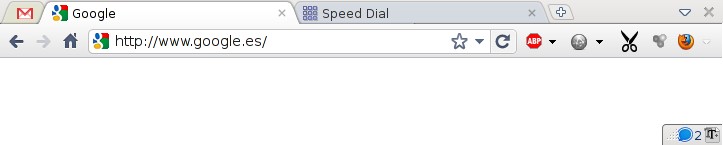
After two weeks since the  Firefox 4 (FF4)  release, I decided to switch back again to Firefox from Google’s Chrome. But I miss Chrome a lot, so I configured FF4 almost like a Chrome… ¿how? using those themes and plugins:

  • FXChrome Theme: this theme claims to work only on Windows, but I’m using it on Linux without any problem
  • Movable Firefox Button: Converts the FF4 menu to a button that you can place on your navigation tab (to the right, like on Chrome)
  • Omnibar: Joins the address box and the search box in only one box
  • Titlebar Tweaker Plus: Hides title bar on Linux, on Windows you can use better options like “Hide Caption Titlebar Plus”, but on FF4 this last doesn’t work on Linux
  • Close Button: Without the title bar, I need a button to close FF4, I put it to the right of the tabs, (If using the  “Hide Caption Titlebar Plus” you don’t need this)
  • Barlesque: the new FF4 addon bar occupies all the window bottom, this extension collapses this bar on the bottom right (configurable), having much more space for browsing

And I also recommend this plugins:

  • AdBlock Plus: Removes ads from web pages
  • Speed Dial: Shows your favourite site on dials like Opera
  • FaviconizeTab: Adds a contextual menu on tabs to show only the favicon instead of the title on the tabs
  • Download Statusbar: Shows the downloads on the status bar
  • Echofon: a small twitter client, I miss the TweetDeck Chome app, but it seems that soon will be avaiable for FF4
  • Cutyfox URL Shortener: I use it to fast-shorten URLs with bit.ly
  • DownloadHelper: to download videos from Youtube and a lot of video sites
  • User Agent Switcher: some apps (Ok, JDEdwards) need to change the User-Agent header to work properly, also a good tool to test mobile web browsing

That’s the result:


A small problem with the facebook Android SDK

At Mobialia the lasts weeks I was involved on the development of a social app using , among other social networks APIs, the facebook API.

For me it was easier to implement Twitter API access using only the signpost library, for facebook they recommend to download their Android SDK, and I did so. First we need a class attribute with the Facebook object:

Facebook fb = new Facebook(appId);

The problem is during the autentication process: we must call the fb.authorize method…

fb.authorize(this, PERMISSIONS, ACTIVITY_CODE, this);

And wait for the result of this called activity on our onActivityResult method

protected void onActivityResult(int requestCode, int resultCode, Intent data) {
    fb.authorizeCallback(requestCode, resultCode, data);
}

But, here is the problem, under heavy memory requierements (like testing on a old HTC Magic) the caller activity may be killed, and the status of the Facebook object is not maintained so the call to authorizeCallback is going to fail.

Then I need a method to mantain the Facebook object status, and here comes the hack. I added this method to the Facebook object:

public void setStatus(int mAuthActivityCode, DialogListener mAuthDialogListener){
    this.mAuthActivityCode = mAuthActivityCode;
    this.mAuthDialogListener = mAuthDialogListener;
}

And I call this method on my OnActivityResult:

protected void onActivityResult(int requestCode, int resultCode, Intent data) {
    fb.setStatus(ACTIVITY_CODE, this);
    fb.authorizeCallback(requestCode, resultCode, data);
}

Note that the DialogListener is the same Activity. Other solution may be to avoid killing of the caller activity, but I don’t figure how…